
Top 5 Product Analytics Tools Integrating with Snowflake

Snowflake has become the central data cloud for product, marketing, and revenue teams, but most analytics tools still force you to copy events out of Snowflake into a separate database. Snowflake-native product analytics tools fix this by letting business users and analysts query Snowflake data directly, often with no SQL, so you get zero-copy analytics, no data movement, and a single source of truth for metrics.
Mitzu is the best Snowflake-native product analytics platform, Amplitude and Mixpanel bring powerful product analytics with indirect or emerging warehouse-native modes, Heap and Pendo add auto-capture and in-app guidance with Snowflake export, and the best choice depends on how much you care about data ownership, cost, and setup effort.
This guide compares five leading tools that work with Snowflake and explains how each handles warehouse-native analytics, cost, and setup so you can pick the right fit for your stack
Mitzu vs Amplitude vs Mixpanel vs Heap vs Pendo
Best Product Analytics Tools for Snowflake
Mitzu
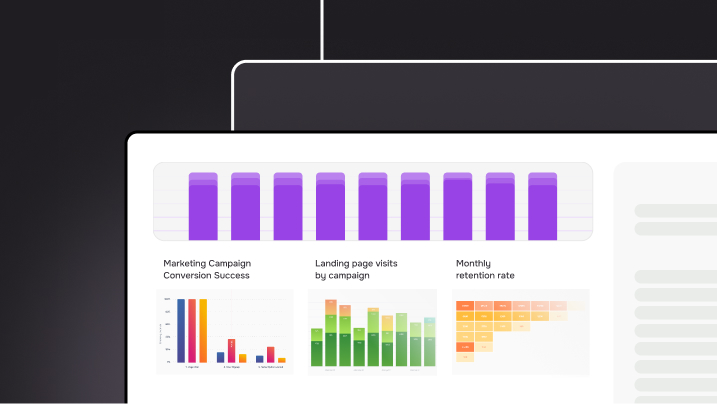
Mitzu is a Snowflake-native product analytics platform built to run directly on your Snowflake account, so all queries execute on first-party warehouse data with no data movement or reverse ETL. It auto-generates SQL on Snowflake from an intuitive UI, giving product, marketing, and revenue teams warehouse-native dashboards, funnels, and retention reports without writing SQL.
Pricing
Unlimited tracked events and users, as the pricing is license-based.
How do I connect to Snowflake?
Mitzu uses a Snowflake-native connection, running SQL directly on your Snowflake schemas without exporting or duplicating data. This zero-copy approach minimizes data drift between systems, reduces pipeline maintenance, and lets you manage all product analytics workloads inside Snowflake
Pros
- Warehouse-Native Analytics with Automatic SQL Query Generation
- User Journey, Funnel, and Retention Analysis: Strong journeys, funnels, retention, segmentation, and cohorts that combine product, marketing, and revenue data from Snowflake
- Individual User Lookup, Segmentation and Cohort Analysis: It analyzes user behavior by creating cohorts based on pricing plans, company size, and location for a more tailored approach. It allows for targeted analysis and personalized strategies.
- Built-in subscription analytics (MRR, subscribers)
- Coverage of supported types: It’s important to see what data types they can handle for warehouse-native applications. Mitzu also supports Arrays, Tulips, and the brand-new JSON type.
Cons
- Newer brand compared with Amplitude and Mixpanel, so some buyers may be less familiar with it.
- Requires a modern Snowflake setup and can be more than early-stage teams need before they consolidate data.
- Mitzu stands out with its no-AI approach, it doesn't rely on artificial intelligence to generate insights.
Amplitude
Amplitude is a product analytics platform that turns raw event data into funnels, cohorts, and experiments, increasingly adding Snowflake-native capabilities via zero-copy integration. Teams use it to understand user journeys, feature adoption, and retention across web and app products.
Pricing
MTU-based pricing tied to monthly tracked users and events, which can get expensive as volume increases.
How do I connect to Snowflake?
Amplitude historically kept behavioral data in its own event store, with Snowflake used via exports and reverse ETL. Its newer Snowflake-native mode brings the application closer to your warehouse, enabling zero-copy analysis on Snowflake while still maintaining Amplitude’s own infrastructure.
Pros
- Comprehensive product analytics (funnels, cohorts, retention, segmentation) for complex user journeys
- Deliver powerful insights your teams can trust—as a service.: On the IT side, you can enable teams to directly find, understand, access, and activate the insights they need to drive your business forward.
- Advanced Cohort Analysis and A/B Testing: Amplitude shines in cohort analysis, allowing you to segment users based on their behaviors. Its built-in A/B testing feature also enables you to experiment with different strategies to optimize marketing outcomes efficiently
Cons
- High Costs: One significant drawback is Amplitude’s event-based pricing model, which can become expensive as your product scales. Companies often pay for unused events, and as their Monthly Tracked Users (MTU) grow, you receive the same features at a higher price.
- Complex Setup and Maintenance: Implementing Amplitude requires extensive planning and manual event tagging. This process can be time-consuming and resource-intensive, hindering your ability to respond quickly to changing business needs.
- Data Moving Challenges: Implementation requires careful event design and tagging, and dual data models (event store + warehouse) can increase complexity.
Mixpanel
Mixpanel is a popular event-based product analytics tool known for fast, self-serve funnels and retention reporting for web and app products. It gives PMs and growth teams a clear view of activation, engagement, and retention without requiring SQL.
Pricing
MTU-based pricing charges organizations based on the number of unique users actively engaging with the product within a given month.
How do I connect to Snowflake?
Mixpanel treats Snowflake as a destination via ETL or reverse ETL, so events live primarily in Mixpanel’s store and are replicated to Snowflake for downstream BI and modelling. This adds pipeline overhead and can introduce lag between Mixpanel dashboards and Snowflake tables.
Pros
- No SQL Required: No-SQL, real-time insights that let teams quickly answer questions about features, funnels, and cohorts.
- Real-Time Insights: It provides live updates on user interactions, enabling teams to adapt and optimize their products based on current user behavior.
- Comprehensive Data Exploration: Strong UX for exploring event data and building growth and retention reports.
Cons
- High Cost:High costs as usage grows, with pricing tied to MAUs and events.
- Limited User Journey Features: Mixpanel may not be the best fit if your needs include guiding users through product features using behavior-driven triggers. Its focus is primarily on analytics rather than user onboarding.
- No native Snowflake execution; requires extra pipelines to keep Snowflake in sync and can limit true warehouse-native analytics.
- Insufficient Advanced Segmentation: The platform's segmentation capabilities may not be robust enough for organizations requiring more complex analytical frameworks. This limitation could hinder detailed insights into user behavior.
Heap
Overview
Heap is a product analytics platform that automatically captures user interactions across web and mobile apps. It helps teams understand user behavior and optimize product experiences.
Pricing
Heap usually charges based on a combination of user seats and tracked events. Exact pricing is not publicly listed.
How do I connect to Snowflake?
Heap supports exporting events into Snowflake via ETL so you can blend product behavior with other business data, but it is not a Snowflake-native engine. You install a snippet to capture events, then sync data into Snowflake for deeper analysis.
Pros
- Automatic data capture: Heap captures user interactions (clicks, page views, events) without needing manual tagging upfront, enabling retrospective analysis.
- Full‑journey visibility: Helps trace paths, funnels, and drop‑off points to optimise user conversion and retention.
- User‑friendly for analytics teams: Enables product, marketing, and UX teams to explore data with less dependency on engineering.
Cons
- Potentially steep learning when scaling: While easier than many custom analytics stacks, leveraging the full power of Heap may still require analytics maturity.
- Pricing and usage complexity: Because pricing often relates to tracked events or sessions, costs may grow quickly as your user base and usage increase.
- Integration overhead: While it supports data‑warehouse export, you may still need engineering/analytics resources to maximise insights from combined datasets.
Pendo
Overview
Pendo is a software‑experience management (SXM) platform that combines product analytics, in‑app guidance, user feedback, session replay, and more, all aimed at understanding and improving how users interact with software products.
Pricing
Pendo’s pricing tends to be usage‑ or tier‑based, often factoring in tracked users, features enabled (analytics + guides + feedback), and organisational scale. The exact pricing structure may vary and is not always fully transparent.
How do I connect to Snowflake?
Pendo provides data‑sync capabilities so that session‑level behavioral data and analytics can be sent directly to Snowflake, enabling you to combine acquisition, product usage, and other enterprise data for more advanced modelling. However, similar to Heap and Mixpanel it is not a direct connection, so you have to install a single snippet of code to start automatically capturing data and use ETL processes.
Pros
- Unified platform: Combines analytics + in‑app guidance + feedback + session replay in one tool, which reduces tool‑sprawl.
- Strong for product‑led growth (PLG): Enables you to track feature adoption, user paths, retention, and proactively guide users via in‑app messaging.
- Data warehouse connectivity: Lets you export rich behavioural data to Snowflake and use it for advanced analytics or modelling.
Cons
- Pricing may escalate: As features and user‑volume increase, costs can become significant; the pricing model may be opaque.
- Complexity for non‑technical users: While designed to be accessible, using full capabilities (analytics + guides + feedback) may require cross‑functional coordination and setup.
- Potential overlap and tool stack considerations: Because Pendo covers many functions, you’ll need to evaluate how it fits with other analytics, marketing automation, or feedback tools you already use.
FAQ
How do I connect product analytics tools to Snowflake?
Connection methods vary by tool: Mitzu and Amplitude (in Warehouse-native mode) connect directly to query Snowflake tables. Mixpanel, Heap, and Pendo typically require ETL pipelines (using tools like Fivetran or reverse ETL) to sync data between their event stores and your Snowflake warehouse.
What is the best self-service BI tool for Snowflake?
For product and customer journey analytics, Mitzu is the best choice because it auto-generates SQL for funnels, segmentation and retention. For general BI and reporting, tools like Tableau, Looker, or Sigma Computing are often used alongside product analytics platforms to visualize Snowflake data
Can I run product analytics on Snowflake without writing SQL?
Yes. Snowflake-native tools like Mitzu provide a no-code UI that auto-generates SQL queries on your warehouse, letting product and marketing teams build funnels, retention reports, and cohorts without needing to write SQL manually
Unbeatable solution for all of your analytics needs
Get started with Mitzu for free and power your teams with data!

.jpg)


